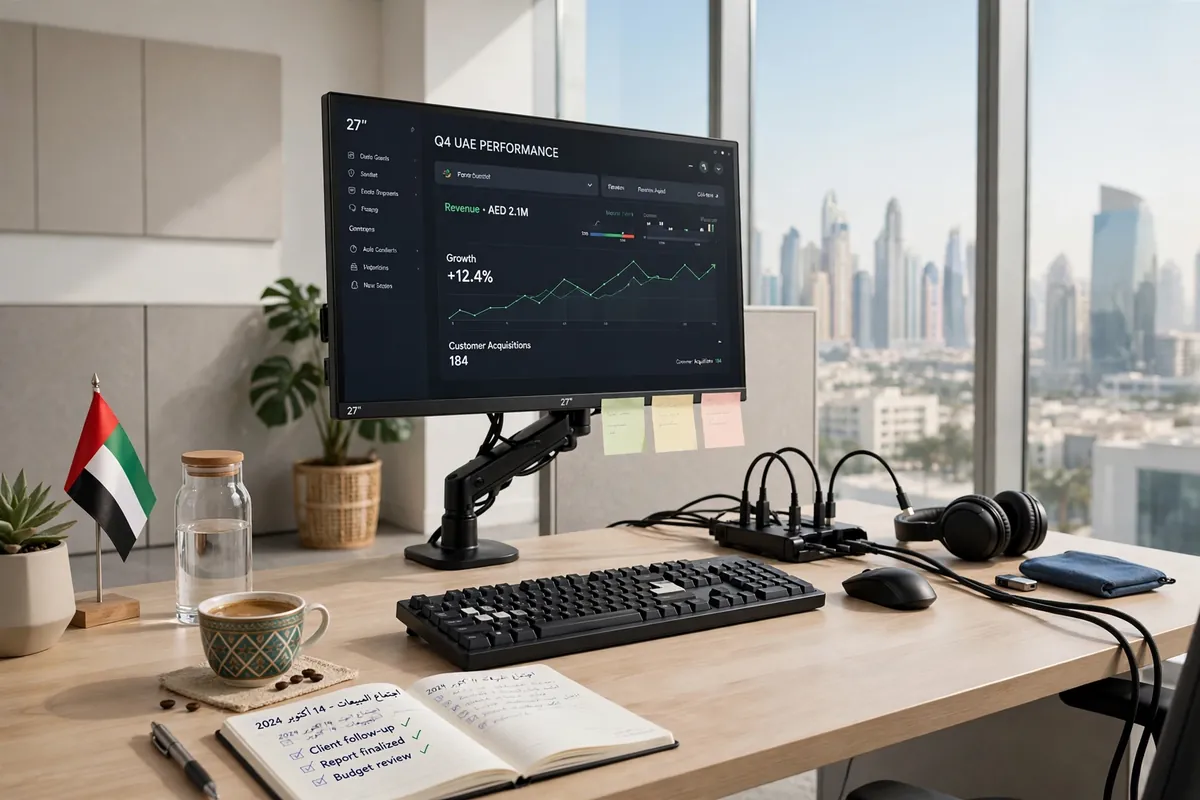
A good monitor can only do so much on its own. The right monitor accessories in UAE turn an ordinary screen into a comfortable, organised and productive workstation — whether you work from home in Dubai, study in Sharjah or run a gaming setup in Abu Dhabi.
From a sturdy monitor stand that lifts the screen to eye level to a dual monitor arm that frees up desk space, small upgrades make a real difference to posture, focus and cable clutter. This guide covers the main types of computer monitor accessories in UAE, how to choose them, what they cost in dirhams and where to buy them.
Types of Monitor Accessories
Monitor accessories fall into a few clear groups. Most buyers start with one or two, then add more as their setup grows.
- Monitor stands. A simple riser lifts your screen to eye level and adds storage space underneath. Monitor stands in UAE are widely available in wood, metal and bamboo.
- Monitor arms and mounts. A monitor arm in Dubai offices is now a common sight: it clamps to the desk, holds the screen in the air and lets you tilt, swivel and rotate it.
- Screen filters. Anti-glare filters cut reflections in bright rooms, while privacy filters narrow the viewing angle so neighbours cannot read your screen.
- Docking stations and USB-C hubs. A dock connects your laptop to a monitor, keyboard and charger with one cable.
- Cable management. Trays, clips, sleeves and cable boxes route power and HDMI leads out of sight, keep dust down and stop cables snagging when you adjust the arm.
- Keyboards and mice for monitor setups. A wireless keyboard and mouse let you sit back at a healthy viewing distance instead of hunching over a laptop.
How to Choose Monitor Accessories in UAE
Before you buy, check three things: your monitor, your desk and how you work.
- Monitor size, weight and VESA. Check your screen’s size and weight against the arm or stand’s rating, and look for the VESA mounting holes on the back — usually 75 x 75 mm or 100 x 100 mm.
- Desk space and desk type. A clamp arm needs a sturdy desk edge at least 20 mm thick. Glass desks need a special clamp or a freestanding stand instead.
- Single or dual. If you plan a second screen later, a dual monitor arm bought now is cheaper than replacing a single arm in six months.
- Ergonomics. The top of the screen should sit at or just below eye level, with the screen about an arm’s length away, so your neck stays neutral.
Measure your desk depth and the gap to the wall before ordering, and leave room for the arm to swing.
Dual Monitor Setup in UAE
A dual monitor setup in UAE is one of the most popular upgrades for people who work from home, trade, study or edit content. Two screens let you keep email or research open on one side while you work on the other, without constant window-switching.
You will need a dual monitor arm or two single arms, two matching cables (HDMI or DisplayPort), and a graphics output that supports two displays. A docking station makes connecting and disconnecting far simpler.
For layout, place the main screen straight ahead and the second at a slight angle beside it. Keep both at the same height and match brightness levels.
Where to Buy Monitor Accessories in UAE
Online, Amazon.ae and Noon carry the widest range of monitor accessories in UAE, with reviews, fast delivery and easy returns. Check seller ratings, delivery times and warranty terms before ordering, and compare prices across both stores.
Offline, Computer Plaza in Bur Dubai is the best-known destination for stands, arms and mounts, with dozens of small shops competing on price. Sharjah’s computer shops offer similar value, and mall electronics sections in Dubai Mall, Mall of the Emirates and Yas Mall stock popular models too.
Monitor Accessories Prices in UAE
Prices vary by brand and build quality, but these approximate ranges reflect typical monitor accessories prices in Dubai and across the UAE.
- Basic monitor stand: AED 60–150.
- Single monitor arm: AED 120–350.
- Dual monitor arm: AED 250–600.
- Desk or wall mount: AED 90–300.
- Cable management kit: AED 25–80.
- USB-C docking station: AED 200–600.
- Privacy screen filter: AED 80–200.
Gas-spring arms and branded docks sit at the top of each range. Check that the price includes the mounting hardware. Sale events on Amazon.ae and Noon often cut 20–30% off popular arms and stands.
Setup & Ergonomics Tips
- Height. The top of the screen should be at or just below eye level. If you use a laptop with an external monitor, use the monitor as your main screen.
- Distance. Sit about an arm’s length — 50–70 cm — from the screen, and enlarge text rather than leaning in.
- Lighting. Face the screen away from windows to avoid glare, and use a desk lamp that lights the desk, not the screen.
- Cable safety. Route cables through a tray, keep power strips off the floor and away from feet, and leave a little slack so the arm can move freely.
- Breaks. Follow the 20-20-20 rule: every 20 minutes, look at something 20 feet away for 20 seconds.
A tidy desk also helps security: keep sensitive papers out of sight and protect the machine itself — our guide to computer security systems in UAE explains the basics for homes and small businesses.
FAQs About Monitor Accessories in UAE
What is the best monitor arm for a 32-inch screen?
Choose a gas-spring arm rated for at least 8–9 kg and for screens of 32 inches or more. Check the VESA pattern and your desk thickness before ordering.
Can I mount a monitor on a glass desk?
Usually not with a standard clamp, which can crack the glass. Use a freestanding monitor stand, a wall mount, or a clamp with a wide protective plate made for glass tops.
Are dual monitors better than one ultrawide?
Dual screens suit multitasking across separate apps, while an ultrawide gives one seamless display. Dual setups are usually cheaper and easier to upgrade one screen at a time.
Do I need a VESA mount?
Most arms and mounts use the VESA hole pattern on the back of your monitor. If your screen has no VESA holes, use a VESA adapter bracket instead.
The best monitor accessories in UAE are the ones that fit your screen, your desk and the way you work. Start with a stand or arm that fixes your posture, add cable management, then build out a dual monitor setup when you need it. If your home office is in a villa, also see our guide to automatic gates in UAE.